These URLs are stored in a database that allows a URL to be classified in more than one appropriate, editor created category. Categories have their own entry in the database as well. In that entry html can be associated with them, for display on their page, along with the attribute of belonging to a parent category. In this way, PhillyFinder can grow organically. New categories, that are discovered to be needed, can be added with the interface quickly. And links can be re-classified simply.
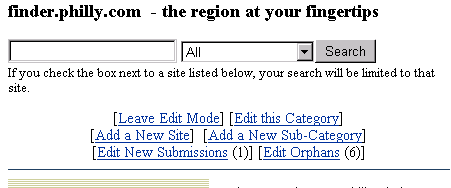
After signing in as an editor, you are presented with the editor menu:
"Leave Edit Mode" will bring you back into the user interface. "Edit this Category" will take you to the Category edit form to edit this category page. "Add a New Site" will bring the URL form to add a new site to this category. "Add a New Sub-Category" will allow you to add a new sub category to this category, using the Category edit form. "Edit New Submissions" appears only if users submitted URL's for approval, it shows you the URL's that need to be approved, next to the link is a count of these. "Edit Orphans" shows you a list of URL's that have been "orphaned" or that do not have a category assigned to them.
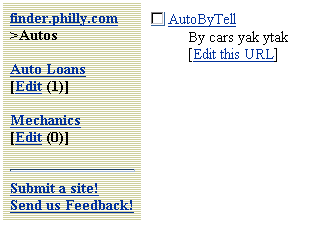
Beneath each subcategory an "Edit" link will take you to the "Edit this Category" for those pages. If you click "Edit" to edit a category from here, you will be presented with the additional option to delete the entire category. "Edit this URL" will take you to the editor URL form. This form will enable you to edit a URL's information, to assign it, and remove it from categories, to make that URL active (approve it for display) and to delete it entirely.
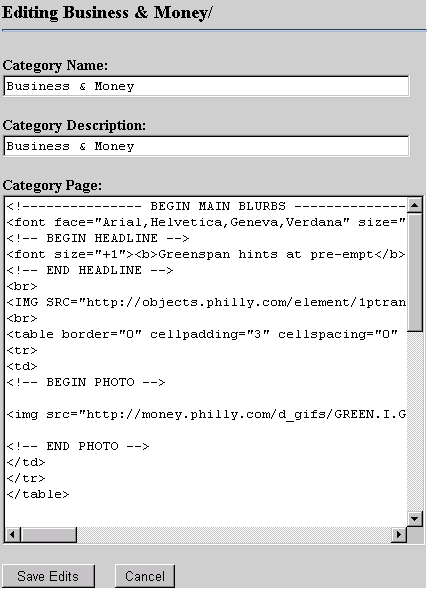
This is the Category Edit form. It is used to edit or delete existing Categories and to add new ones. This is an example of editing an existing Category, that has static HTML to be displayed in the Category Page field. The "Delete Category" button is only present if you navigated to this page from the left-hand category bar.
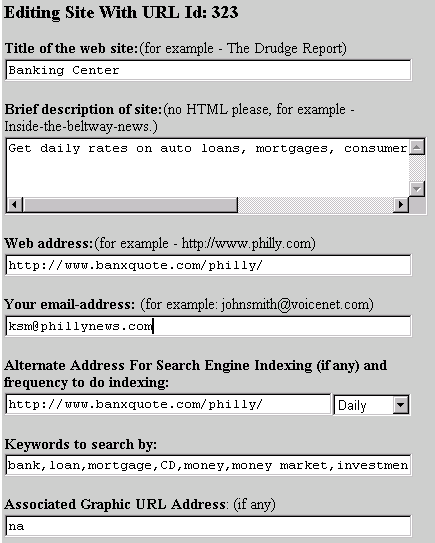
This is the top half of the URL edit form. An end user, not an editor, has only the first four fields displayed. Our Site Server for indexing uses the Alternate Address field. The frequency is how often it will reindex that site. Keywords are used by database searches users may execute. Editors can type in what they feel is appropriate. Associated Graphic URL is an optional field that can be used in the display of that URL.
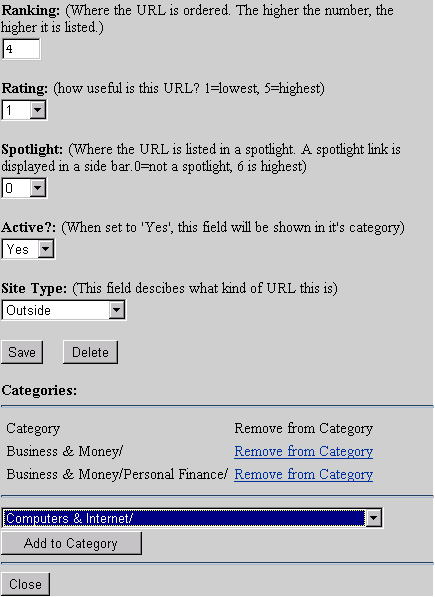
This is the second half of the URL edit form. End users see none of these fields when submitting URLs. Most fields here are self-explanatory. The Active field is the approval field. Site type allows us to categorize the URL for display and searches. The Categories interface will allow simple removal from a category by clicking "Remove from Category". The "Add To Category" button will add this URL to the category chosen in the drop down list. You can save the URL's information by clicking "Save" or delete the URL in its entirety by clicking the "Delete" button.
Previous: User Navigation | Table of Contents | Next: Version 2.0 beta notes