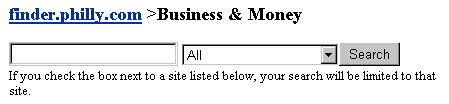
To navigate it has an easy to use menu bars, which are dynamically generated throughout. The top navigation bar, above the search form, tells you where you are in a site, and allows simple tree based navigation:
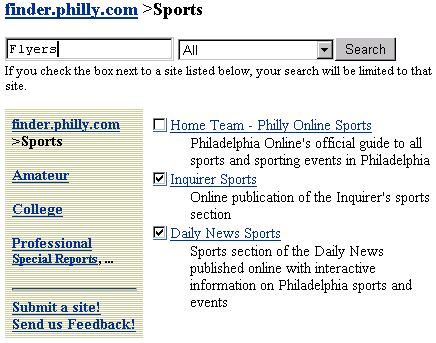
Beneath the search form, to the left, is the category listing, dynamically tied to the category you are viewing. To the right is that category's links and html content (note the check boxes, we will get back to them later when discussing search functionality):

If a category actually contains html, that is displayed above the links in one unified display:

If a user is going to execute a search they have a number of options. By default (and since this PhillyFinder is being used in the context of philly.com) the 'All' selection, in the drop down box, at the top, will return sites from our database, a seven day Philadelphia Inquirer and Daily News site server web site search, and a general web site search. It is important to note the general web site search is performed on sites submitted to our database and indexed by our site server, in periods described in that URL's entry. Also, site server daily indexes the Philadelphia Inquirer and Daily News and those results come from site server as well. After the 'All' search the user has additional opportunity to filter further. They can continue to view results from the Inquire, Daily News, or web sites, or they can use the checkboxes mentioned above.
If a user chooses sites by clicking on a checkbox or series of checkboxes, types a search query, and clicks the 'Search' button the search is limited to results within those chosen sites.
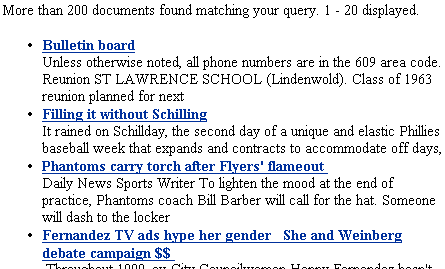
For example, the user has chosen the Inquirer and Daily News sports sections to search for results for the Flyers.
The site server filtered its search by the chosen URL's urlToSearch field. An editor fills in the urlToSearch field. Our site server indexes content based upon this field and it's corresponding frequency field.
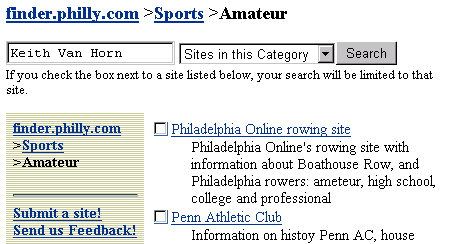
When you execute a search, with "Sites in this Category" picked, PhillyFinder queries our directory database, to get urlToSearch entries of all URLs entered in the category you are presently browsing and all of it's subcategories. It passes this on as a filter to our Site Server, which then returns its results.
If a user executed this search:
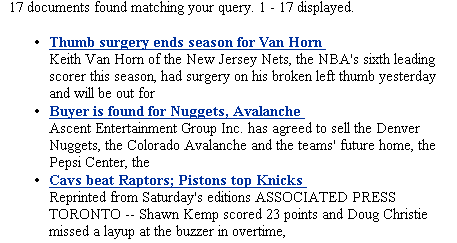
These would be its results:
The drop down list also presents other useful search options for the user. It should be noted that these search options are easily replaced and/or modified to provide additional search capabilities if PhillyFinder was to be setup for other portals other than philly.com.
The search "Inquirer 7-day", "Daily News 7-day", "Entire Web", and "philly.com" options each return results from our search engine. "News Archives" redirects the search to an application at our parent company's site that hosts our newspaper's archives. "Yellow Pages" redirects the search to a content partner that provides Yellow Pages listings. "Help Wanted Ads " takes you to an application that searches the Sunday Classifieds from the newspapers at philly.com.
Previous: What makes it Unique? | Table of Contents | Next: Editor Interface